How TrialLift works, screen by screen
In the order a trial team uses it: bring the file together, ask and summarize, prepare in the Canvas, then plan with predictive analysis. Every picture comes from the live app on a made-up test case. No real client appears.
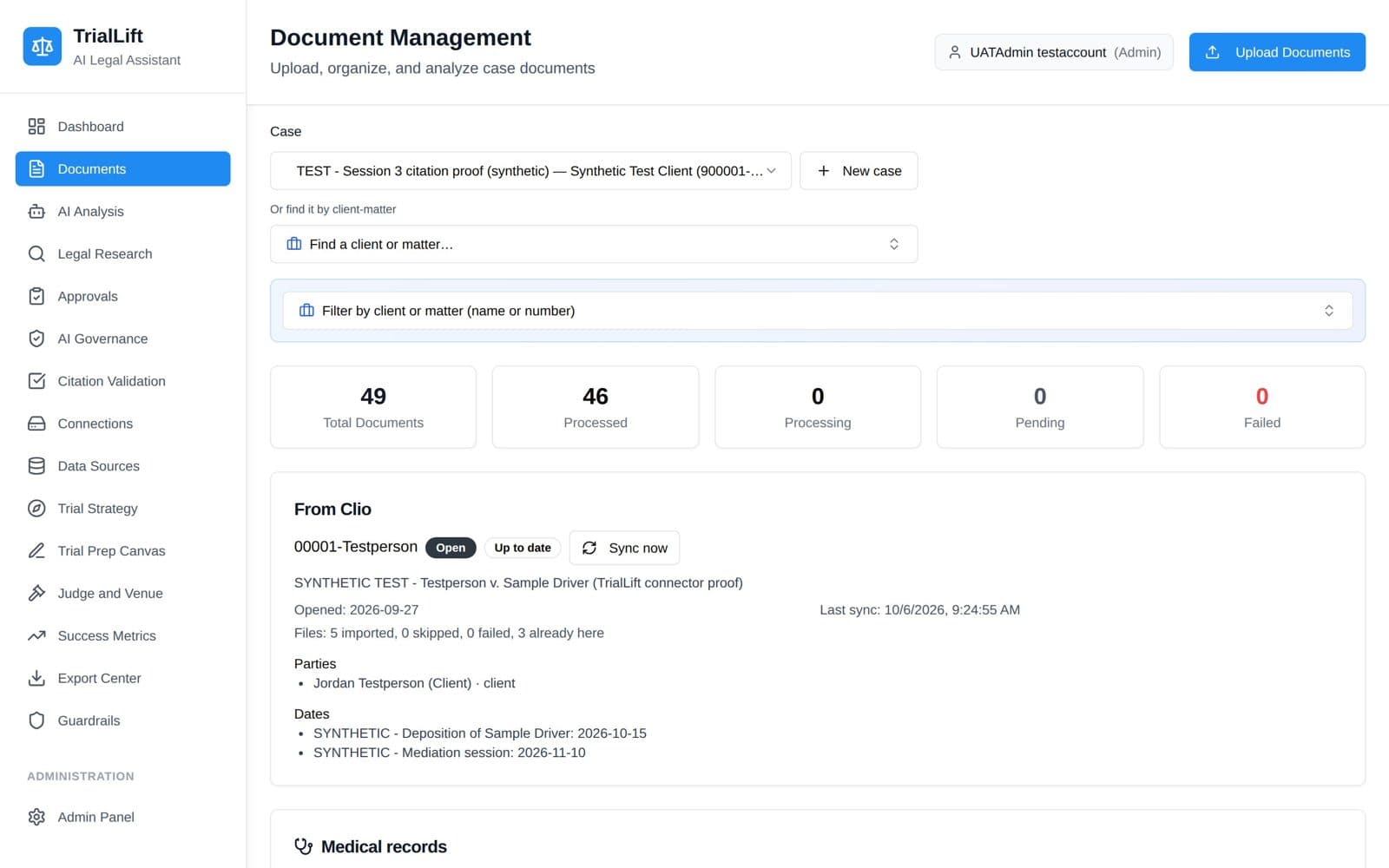
One place for the whole trial file
Every document for a case lives in one place: depositions, medical records, exhibits, pleadings, emails and images. TrialLift reads every page, scans included, so the whole file can be searched in under a second.
- Upload files or a whole folder of up to 50 at once.
- Connect Clio and the matter's documents, parties and dates come in on their own, with new files arriving as they are added.
- Medical records are read for diagnoses, procedures, tests and medications, and built into a visit-by-visit timeline that flags gaps in treatment.
Who uses it: Everyone on the case
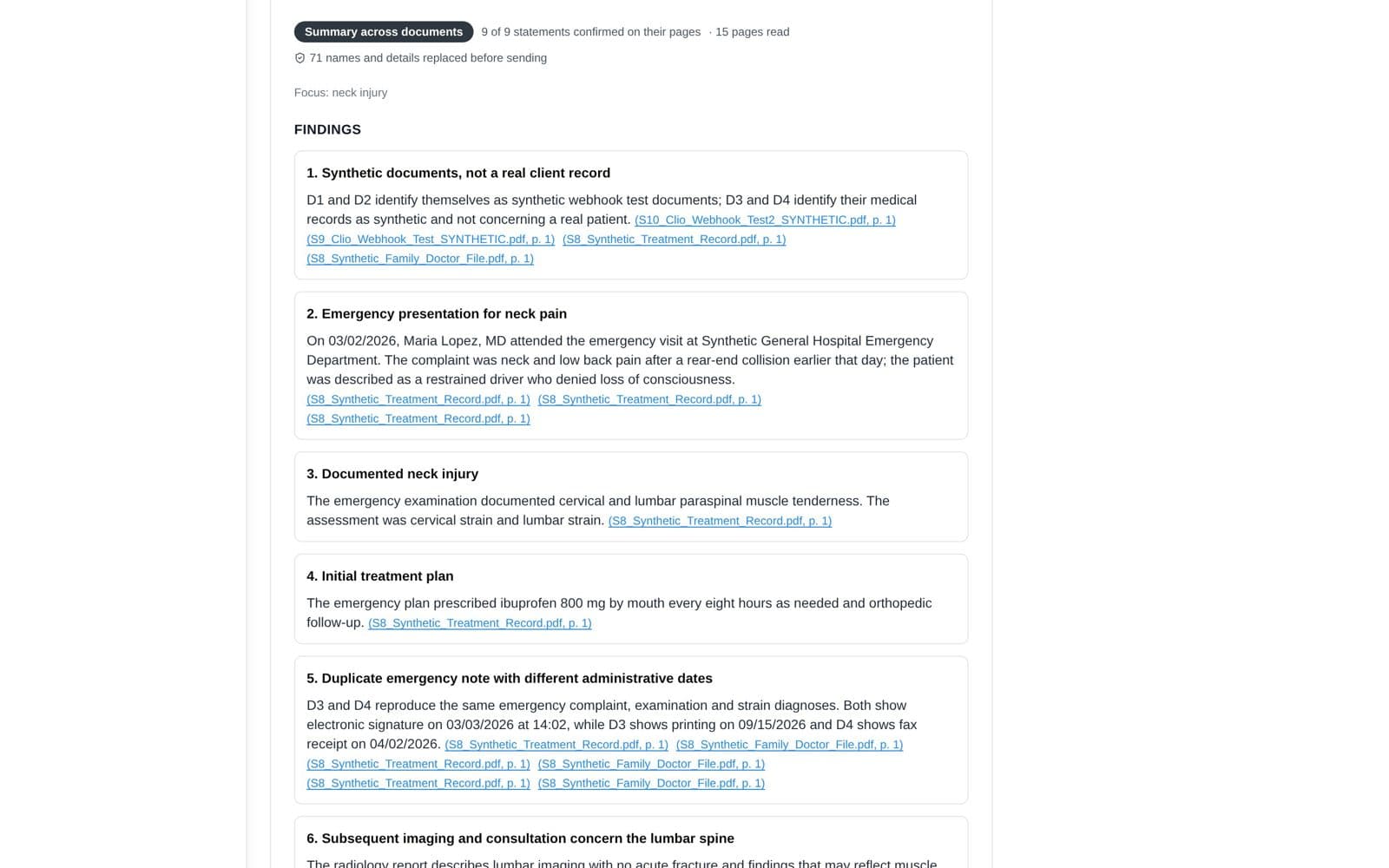
Ask questions and get a summary
Ask about the record and get answers you can check. Run a summary across up to 25 documents, a document review, trends, or arguments for the client. Every statement is checked against the page it cites before you see it.
- Each citation is a link. Click it and the page opens with the quote highlighted.
- Anything TrialLift could not find on the cited page is set aside under Could not verify. It never reaches your work product.
- Client names are swapped for placeholders before anything goes to the AI, then put back in the answer.
Who uses it: Associates, partners, admins
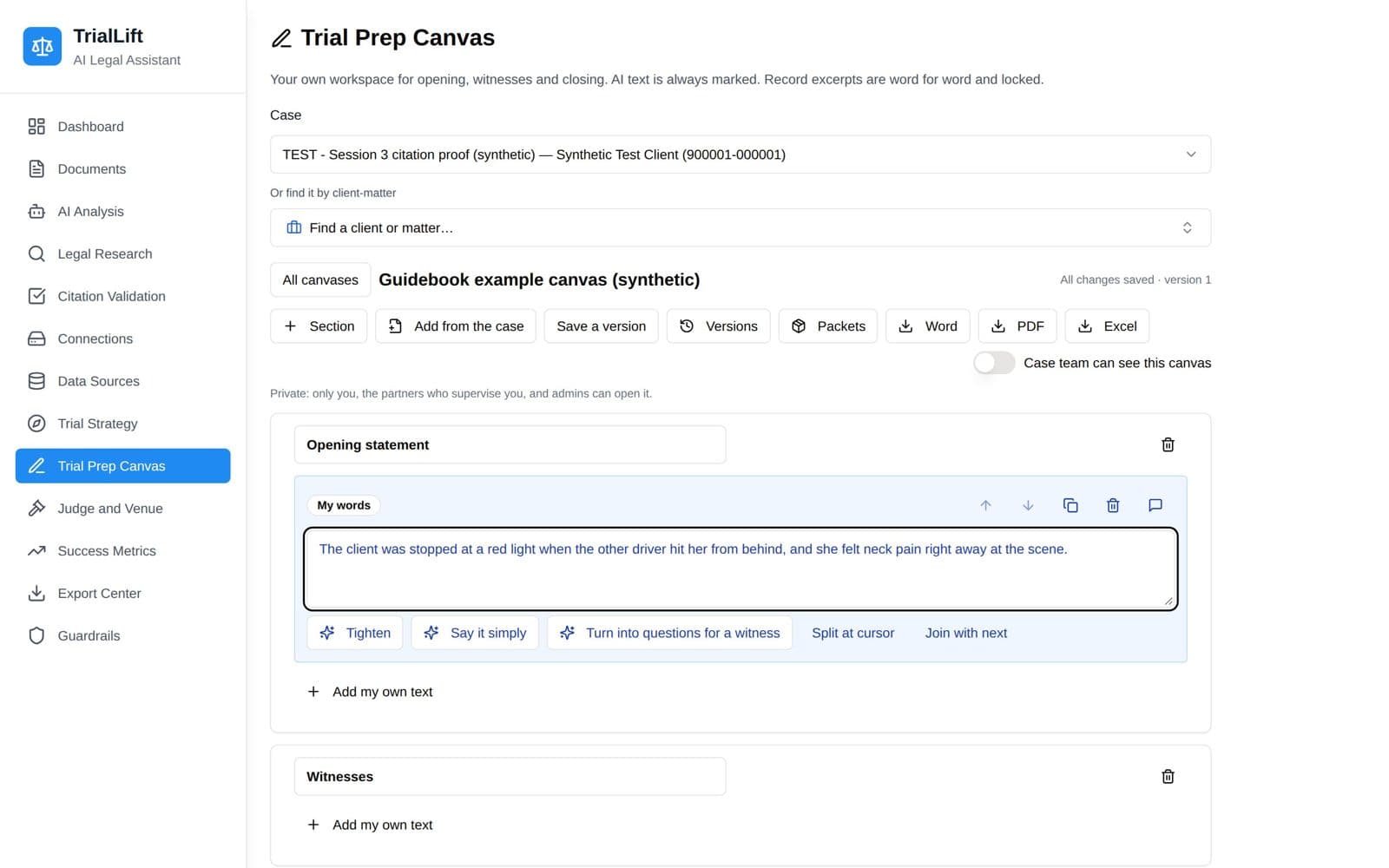
Prepare in the Trial Prep Canvas
The Canvas is where the preparation happens: your own workspace for the opening, witnesses, exhibits, cross-examination and closing, built on the record.
- Write your own notes and pull in verified items from the case, each with its page. Excerpts from the record are copied word for word and locked.
- Ask the AI to tighten a passage, say it simply, or turn your notes into questions for a witness. Nothing changes until you accept it, and AI text is always marked.
- Save versions, share with the case team, and export to Word, PDF or Excel.
Who uses it: Associates, partners, admins
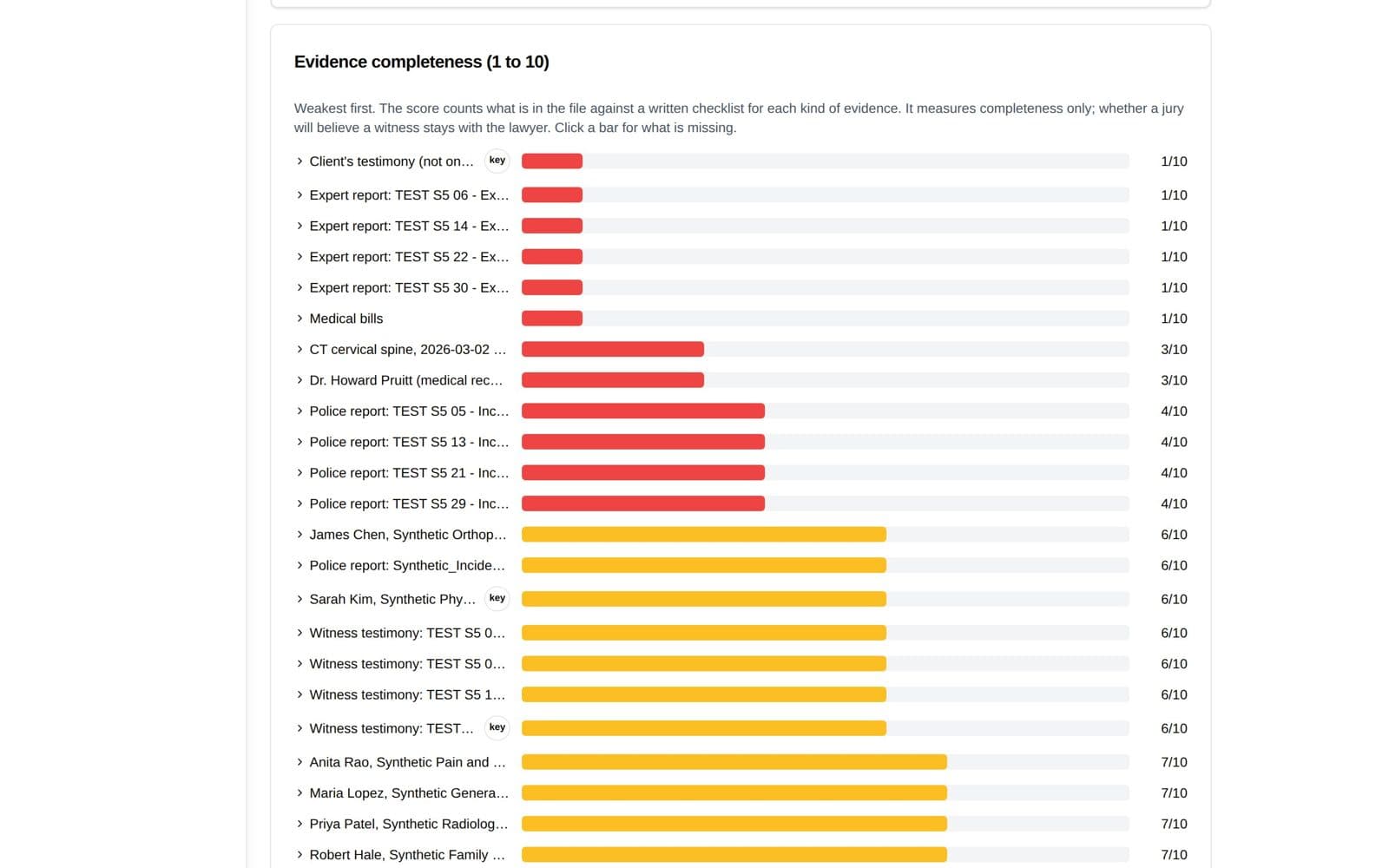
Trial Strategy and predictive analysis
See how strong the case is before the defense does. Every piece of evidence and every witness is scored for completeness, the gaps are ranked, and a proposed trial plan is built with every statement tied to its page.
- Each piece of evidence is scored 1 to 10, weakest first, with what is missing and what to get.
- The case is rated High, Medium or Low by a written rule, with its reasons shown. TrialLift never shows a win percentage it cannot back up.
- The proposed plan covers case theories, the defense's likely answer, witness and exhibit order, and opening and closing themes.
Who uses it: Associates, partners, admins (the outlook is for partners and admins)
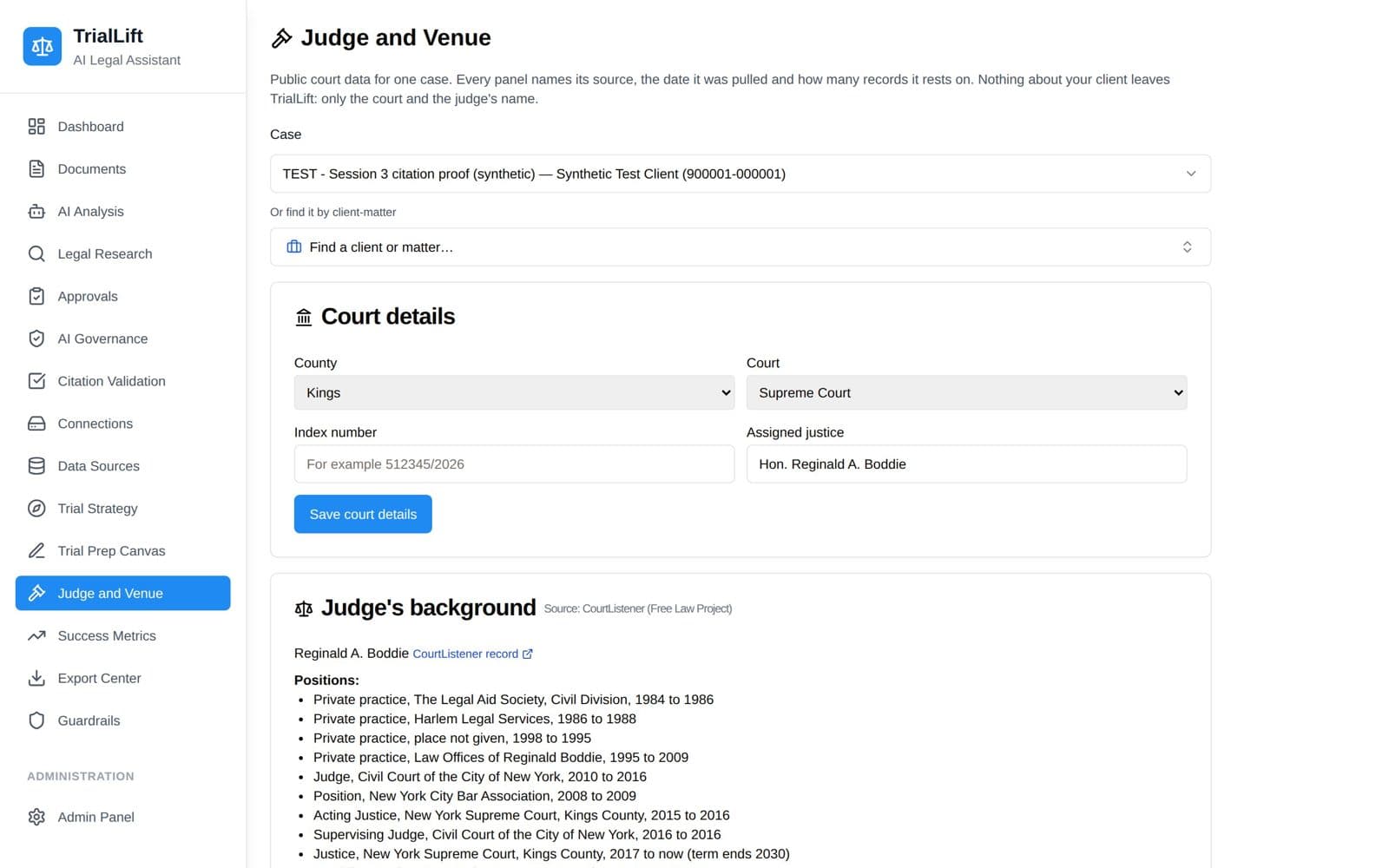
Judge and Venue
Know the court and the sitting judge. Judge and Venue shows the judge's public background and reported New York verdicts and settlements for the kind of case, each with its source named.
- The judge's career and education come from CourtListener's public records. Only the judge's name is sent.
- Reported outcomes show how many, the lowest, the middle and the highest, each with a source link.
- Reported results lean toward large awards, so the page says plainly they are not a prediction of what the case is worth.
Who uses it: Associates, partners, paralegals, admins
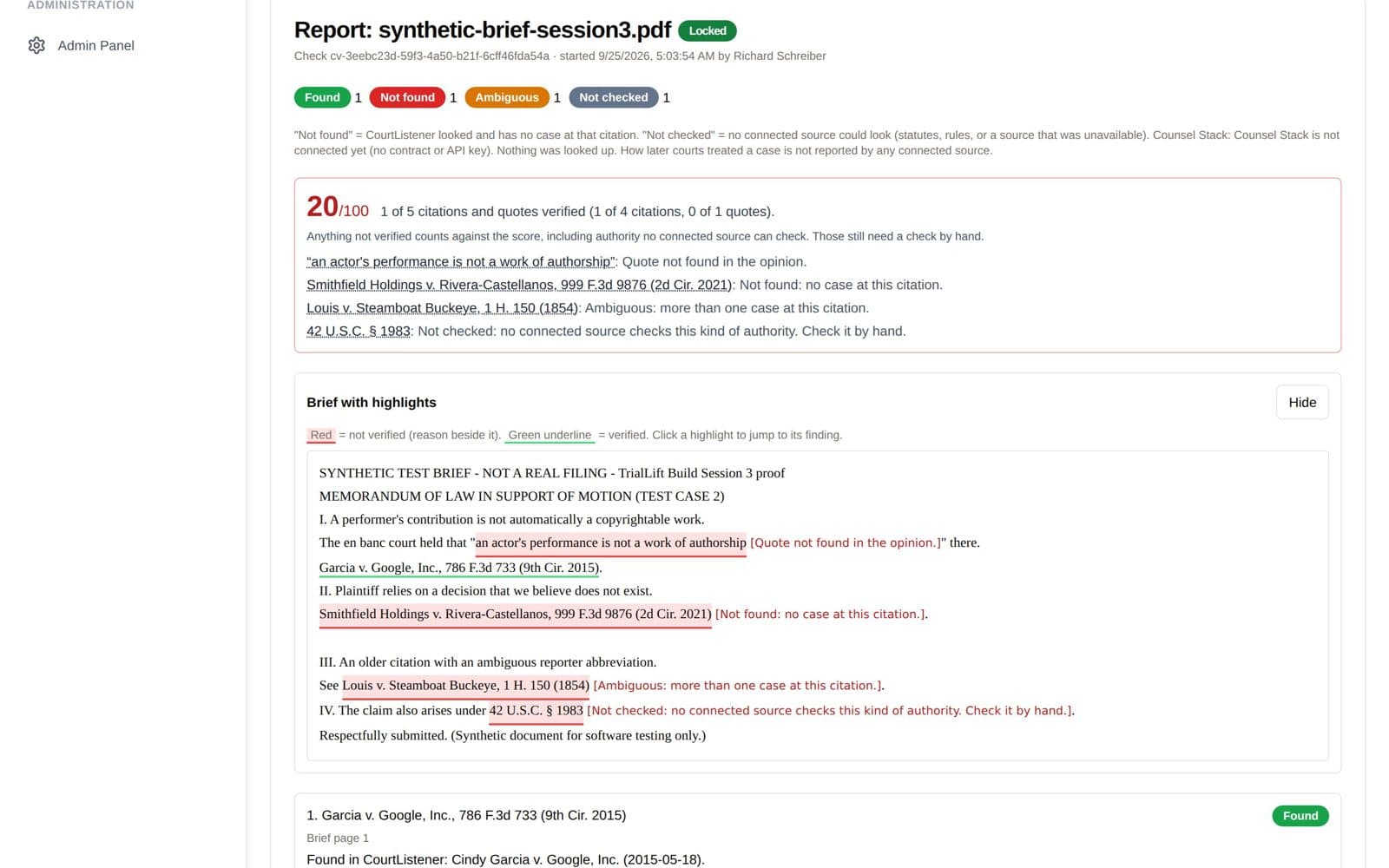
Citation Validation
Before a brief goes out, TrialLift checks every citation and quote against real court records and scores the brief out of 100.
- Each citation is underlined green when verified and red when not, with the reason beside it.
- Results are labeled Found, Not found, Ambiguous or Not checked.
- One lawyer approves the findings and a different lawyer locks the report. The evidence pack holds every source and its fingerprint.
Who uses it: Associates, partners, admins
Three firms. Sixty days. No licensing fees.
The first 3 firms accepted into the founding pilot use TrialLift for 60 days with no licensing fees. In return, you use it on real cases and tell us plainly what works and what does not.